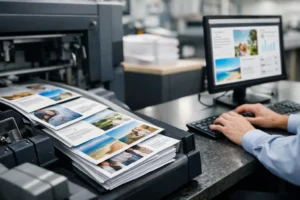
A missed print deadline usually shows up at the worst possible moment – the night before a trade show, the morning of a sales meeting, or hours before an event setup window closes. If you need to know how to order rush printing, the goal is not just to place an order quickly. The goal is to give your printer everything needed to move the job into production without costly back-and-forth.
Rush printing works best when speed and accuracy happen together. A fast quote means very little if the wrong size, file type, finish, or delivery detail slows the job down later. When you approach a rush order with the right information, you improve turnaround time and reduce the chance of reprints, delays, or disappointing output.
How to Order Rush Printing the Right Way
Start by being specific about what you need. “I need flyers today” is a start, but it is not enough for production. A printer needs the product type, quantity, final size, paper choice if known, single-sided or double-sided layout, color requirements, and the exact time you need it ready for pickup or delivery.
That deadline matters more than many customers realize. There is a big difference between needing 250 business cards by 5 p.m. and needing 5,000 brochures by noon tomorrow. Both are rush jobs, but they require different scheduling, equipment, and finishing decisions. If your deadline is firm because of a convention move-in, hotel event, sales call, or retail launch, say that clearly from the start.
You should also mention whether your artwork is ready or if you need design help. A printer can often move quickly, but design revisions, missing logos, low-resolution photos, or last-minute copy changes can affect turnaround. If the files are not final, build that into your expectations.
What to Have Ready Before You Place the Order
The fastest rush orders usually come from customers who have their core details prepared in advance. That does not mean your files have to be perfect, but it does mean you should be ready to answer basic production questions without guessing.
At minimum, have your final quantity, finished size, and due date ready. Know whether the piece is for indoor or outdoor use, temporary or longer-term display, handouts or mailing, tabletop presentation or large-format installation. A postcard campaign, retractable banner, foam board sign, and booth backdrop all have different production needs.
Your file should be as close to press-ready as possible. Print-ready PDFs are often preferred because they preserve fonts and layout more reliably than editable files. If you are sending native design files, include linked images and fonts when applicable. Make sure images are high enough resolution for print, especially for posters, signs, and trade show graphics where enlarged low-quality artwork becomes obvious fast.
Contact information matters too. Include the name, phone number, and email of the person authorized to approve proofs or answer production questions. In rush situations, delays often happen because no one is available to confirm a correction or approve a file.
The Details That Speed Up Production
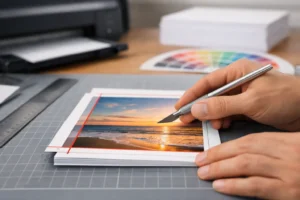
If you want a rush order to stay on schedule, make decisions early. Paper stock, finish, mounting, lamination, grommets, folding, trimming, and packaging are not minor details. They affect production time.
For example, standard stocks and standard sizes are usually faster than custom options. A same-day flyer order on a house stock may be very realistic. A specialty stock with an uncommon size and scoring requirement may not be. The same goes for signage. A simple poster can often move faster than a mounted display that needs cutting, hardware, or installation prep.
Be open to practical substitutions when time is tight. If your first choice adds a full day and your deadline is only hours away, ask what comparable option can be produced sooner. A good print partner will tell you where flexibility can save the job without hurting presentation quality.
How to Avoid Common Rush Printing Problems
Most rush delays are preventable. The file is the wrong size. The logo is blurry. The customer sends one version, then emails a different version ten minutes later. The quantity changes after the job enters production. Someone forgets to mention that the piece needs to fit a specific sign frame or trade show requirement.
Proofing is another common issue. Even under pressure, someone should review spelling, phone numbers, dates, suite numbers, booth numbers, QR codes, and brand colors before approval. Rush production moves quickly, but once a job is printed, fixing an error usually means reprinting, and that can erase the time you were trying to save.
It also helps to avoid vague instructions. Instead of saying “make it look better,” say what needs attention: align the logo, enlarge the headline, correct the address, darken the background, or match the previous version. Specific feedback keeps revisions tight.
Choosing the Right Product for a Tight Deadline
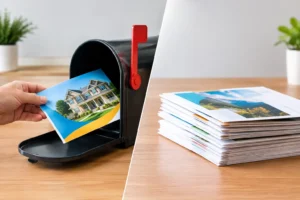
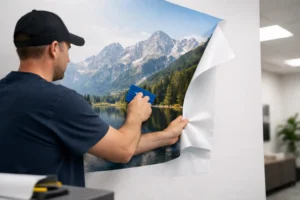
Not every print product is equally suited to a rush timeline. Business cards, flyers, brochures, postcards, posters, and many signs are often good candidates for same-day or next-day service, depending on quantity and finishing. Large-format event graphics, banners, mounted boards, and trade show materials can also be produced quickly, but they usually require more planning because size, material, and finishing matter more.
If your event is close, prioritize what is essential. You may not need every printed item at once. Sometimes the smartest move is to rush the highest-impact pieces first, such as booth signage, brochures, presentation boards, or business cards, then schedule secondary materials around them.
This is especially true in Las Vegas, where event timelines can change quickly and replacement graphics are often needed with very little notice. When a shipment does not arrive, an exhibitor updates pricing overnight, or a banner comes out wrong after setup, local rush production becomes less of a convenience and more of a business necessity.
How to Communicate With a Rush Printer
The best rush orders usually involve direct, efficient communication. Be clear, responsive, and available. If a printer asks for approval, missing bleed, color clarification, or a corrected file, every minute counts.
It helps to send all job details in one message instead of scattering them across several calls and emails. Include product type, quantity, size, due date, file name, finishing needs, and pickup or delivery instructions together. That gives the production team a clean starting point.
If the job is high stakes, say so. A convention deadline, retail opening, investor meeting, or scheduled mail drop should be identified right away. Printers can often recommend the safest production path when they understand what cannot move.
A dependable partner will also be honest about trade-offs. If a premium finish risks missing the deadline, you should hear that before the order is committed. Clear communication is part of good service, especially under pressure.
When Design Support Makes Sense
Sometimes customers wait too long to ask for design help because they assume it will slow things down. In reality, basic production-oriented design support can keep a rush order moving if your existing file has problems.
That is especially useful when a logo file is too small, an old flyer needs updating, or a business card layout must be rebuilt quickly. Minor adjustments, file cleanup, and print setup can save more time than trying to patch a broken file internally.
The key is to be realistic. Full branding work and multiple rounds of creative revisions are different from preparing a usable file for fast production. If your deadline is close, prioritize function, brand consistency, and readability over major redesign.
What to Expect After You Place the Order
Once the order is confirmed, stay reachable. Rush jobs move fast, and unanswered questions can push a project out of the production queue. Watch for proof approvals, payment requests, and status updates.
Ask how the order will be delivered or picked up, and confirm the exact timing. “Tomorrow” is not always precise enough when your setup window begins at 8 a.m. or your team leaves for a venue at noon. If someone else is picking up, provide that information ahead of time.
If you are ordering locally, working with a nearby provider can remove a major layer of risk. For businesses, exhibitors, and event teams near the Strip and convention centers, a local partner like Design One Printing can often help reduce shipping delays, simplify communication, and keep urgent projects moving when timing is tight.
Rush printing is not just about asking for speed. It is about making fast production possible with the right files, clear decisions, and a realistic understanding of what the job requires. When you prepare well and communicate clearly, even a last-minute order can still look polished, professional, and ready when your business needs it most.